In the previous article, Why Software Belongs at Taylor’s Things: Building the Tools We Needed, I wrote about what happened when I started questioning who really controls the technology we pay for.
That experience changed the way I thought about software.
It also changed the way I look at hardware.
Because once you start asking whether a perfectly functional computer really belongs in retirement, another question follows naturally:
How much useful hardware are we throwing away simply because something newer exists?
That question is part of why Taylor’s Things builds computers.
Old does not automatically mean useless
Technology moves fast.
Every year brings newer processors.
New graphics cards.
Faster memory.
New sockets.
New standards.
New numbers for everybody to argue about on the internet.
And yes, new hardware can be fantastic.
Sometimes the newest generation gives you exactly the performance, efficiency or features a particular job requires.
But there is a strange habit in technology culture where older starts getting treated as another word for worthless.
Those are not the same thing.
A processor does not become incapable of running a game because its replacement launched.
A graphics card does not forget how to render frames because a newer model now renders more of them.
Memory does not stop being memory because the box it came in disappeared from the front shelf at Best Buy.
The useful question is not:
How old is it?
The useful question is:
Can it still do the job?
The ownership question changed the way I looked at hardware too
Once I started thinking seriously about ownership, I began looking differently at the hardware being left behind.
A computer gets replaced.
A gamer upgrades.
A company refreshes a group of machines.
A software requirement changes.
A component is no longer fast enough for one person’s workload.
And perfectly functional equipment can end up sitting in a closet, being stripped for scraps or entering the electronics waste stream while it still has useful work left in it.
My reaction to that is increasingly the same Jamaican instinct that keeps showing up everywhere else in Taylor’s Things:
Use what you have.
Look at it.
Understand what it can still do.
Then make something useful from it.
That philosophy makes a lot of sense with computer hardware.
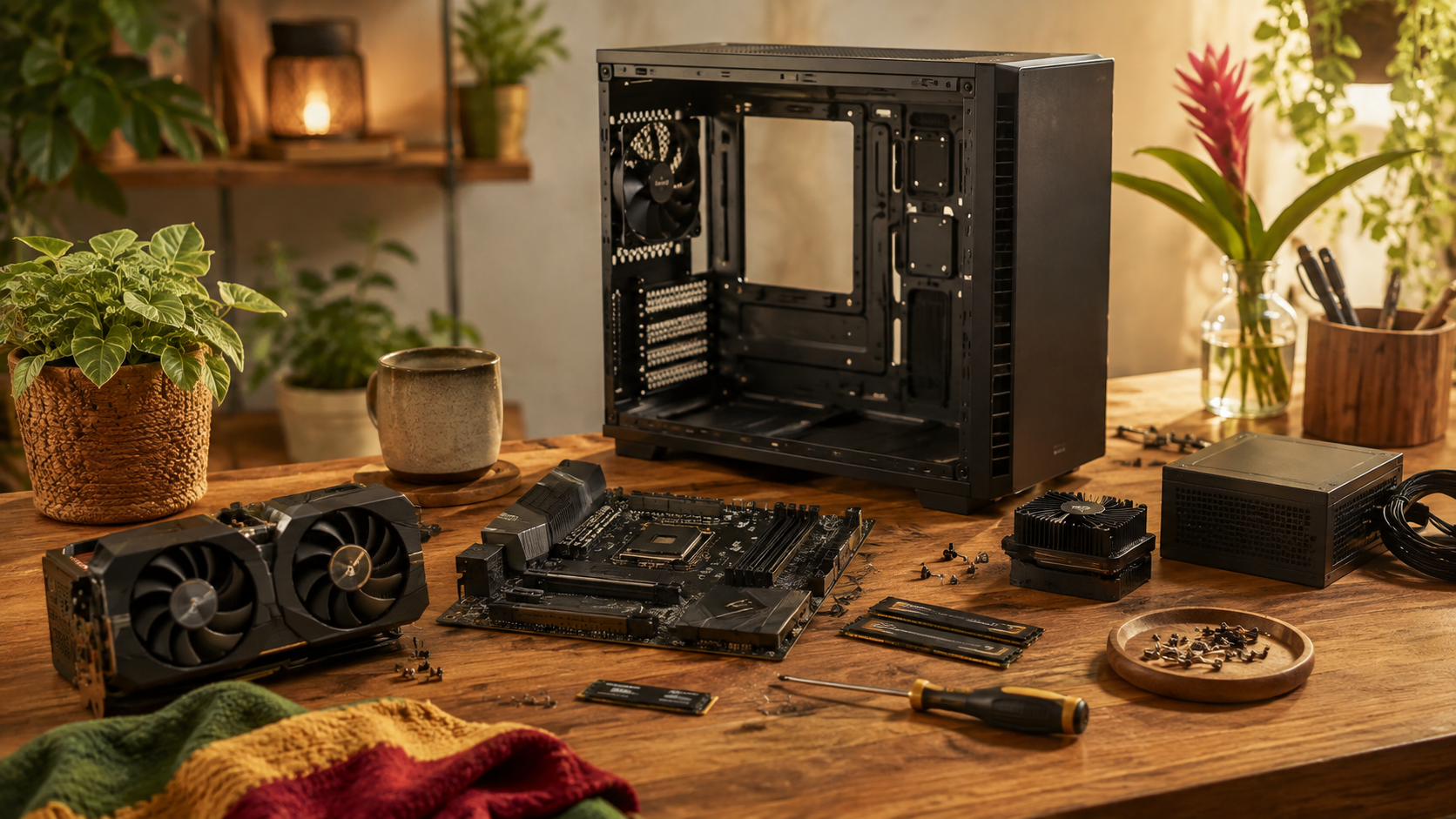
A pile of old computer parts is not automatically junk
Put a few older parts on a table and most people see exactly that:
Old parts.
I start seeing combinations.
This processor with that motherboard.
That memory moved into another system.
A graphics card that no longer makes sense for one gamer but is more than enough for somebody else.
A perfectly good case that needs cleaning.
A power supply that either passes our standards or gets rejected.
Existing storage reused where it makes sense.
New storage added where reliability or performance makes the new part the better decision.
One component may have reached the end of its useful life in one configuration without reaching the end of its useful life altogether.
That distinction creates opportunity.
And it can keep good equipment working instead of turning it into waste before its time.
We build around the person, not the parts list
This is probably the biggest difference in how I think about custom computers.
A parts list is not a good computer build until we know what the computer is supposed to do.
Someone playing competitive games at 1080p does not necessarily need the same machine as somebody trying to run the latest visually demanding games at 4K.
A teenager getting a first gaming PC does not necessarily need the same hardware as a content creator who games, edits video and runs multiple applications at once.
Someone who mainly wants to play Minecraft, Fortnite and a few older Steam games has a very different problem from somebody chasing maximum ray-tracing performance.
So our first question is not:
“What is the fastest processor we can sell you?”
It is:
“What are you actually trying to do?”
Then the parts start making sense.
The best build is the configuration that makes sense
A Taylor’s Things PC can contain new components.
It can contain open-box components.
It can contain carefully selected used components.
Sometimes one machine may contain all three.
There is nothing inherently noble about using old parts.
There is nothing inherently superior about using new ones.
The configuration has to make sense.
If a brand-new component gives better reliability, efficiency, warranty coverage or value, we use the new component.
If an older component delivers exactly the performance the customer needs at a significantly better cost, that deserves consideration too.
The goal is not:
Use old hardware at all costs.
The goal is:
Do not discard useful hardware simply because of its birthday.
Used does not mean mystery
There is one enormous condition attached to this philosophy:
We tell you what you are buying. Up front.
If a component is new, we say it is new.
If it is open-box, we say it is open-box.
If it is used, we say it is used.
We are not going to bury that information three paragraphs down in the fine print or invent some creative phrase that makes a five-year-old graphics card sound like it just arrived from the factory.
If we repurpose a component, we say it is repurposed.
You know what is inside the machine.
You know the condition we are representing it as.
You know why the configuration makes sense.
And you know what kind of performance the machine is being built to deliver.
You should not have to decode the marketing to find out what you own.
That would make absolutely no sense coming from us after everything that led Taylor’s Things into technology in the first place.
Repurposing does not mean using whatever we can find
Keeping something out of the waste stream does not mean keeping everything forever.
Some hardware is finished.
A failing drive is a failing drive.
A questionable power supply does not become environmentally responsible because somebody reused it.
A component that crashes under load is not a bargain.
That is somebody else’s problem waiting to become the customer’s problem.
Repurposing only works when the hardware is worth repurposing.
We inspect it.
We test it.
We check stability.
We check temperatures.
We check storage health where applicable.
And most importantly:
Can this component reliably do the job we are asking it to do?
If the answer is yes and it makes sense for the configuration, it can have another useful life.
If the answer is no, it does not belong in the build.
Use what you have has never meant use whatever you can get away with.
There is a big difference.
Gaming PCs are especially vulnerable to expensive-parts-list thinking
Gaming hardware has turned into a strange kind of status competition.
The most expensive graphics card.
The newest processor.
Huge amounts of RAM.
A power supply large enough to run a small neighborhood.
Three different kinds of RGB lighting so the computer can apparently achieve enlightenment.
There is nothing wrong with building an outrageous computer if that is what somebody wants.
Those machines can be fun.
But price and performance are not the same question.
You can spend substantially more money for an improvement that a particular user may barely notice in the games they actually play.
That is where value comes in.
Value does not mean cheapest
I do not define value as:
Find the cheapest part available.
Cheap hardware that causes problems is expensive.
A component that has to be replaced immediately is expensive.
A machine that cannot perform the intended job is expensive no matter how little it cost.
Value means getting the right level of performance, reliability and upgradeability for the money being spent.
Sometimes the value choice is used.
Sometimes it is new.
Sometimes spending a little more today prevents spending twice tomorrow.
The answer changes with the person.
That is why we build the machine around the user instead of forcing the user into a predetermined parts list.
Sometimes one person’s upgrade becomes somebody else’s first gaming PC
This is where repurposing gets interesting.
A gamer upgrades a graphics card that still works perfectly.
For that person, the card may no longer deliver the performance they want.
But the card did not suddenly become useless.
Put it into another configuration for somebody playing different games at a different resolution and it might be excellent.
The same applies to processors.
Memory.
Cases.
Coolers.
Fans.
Motherboards.
A component can move through different useful stages.
That is not automatically second-rate computing.
It is matching capability to need.
One person’s old part can become another person’s very capable computer.
And yes, we give them names
Of course we do.
Frankenputers.
What else are you going to call a machine that might have a motherboard from one generation, a graphics card that started life in somebody else’s computer, new storage, upgraded memory, a reused case and an entirely different purpose from the system any of those parts originally belonged to?
That is the fun part.
We take what we have.
We figure out what still works.
We combine it in a configuration that makes sense.
We make something useful.
We put our own spin on it.
We give it a name.
Then we share it.
Same Jamaican spirit. Different raw materials.
My first computer in America taught me the other side of ownership
There is another reason this matters to me personally.
When I moved to America, I was gifted my first computer here:
A Samsung Galaxy Book Go Wi-Fi.
I have a real attachment to that machine.
But it also taught me something about the difference between owning a computer and being able to meaningfully control what happens to it.
My Galaxy Book Go has 4GB of RAM.
Samsung built the Galaxy Book Go around a Snapdragon 7c Gen 2 processor with integrated Adreno graphics, LPDDR4X memory and eUFS internal storage.
Now, 90 percent of people reading that probably do not care what LPDDR4X, eUFS or Snapdragon 7c Gen 2 means.
So here is the important part.
The processor and graphics are integrated into the system-on-chip (built onto the motherboard and not separately upgradeable).
The RAM is on-board (soldered and cannot be upgraded).
The internal eUFS storage is built into the machine (not a normal replaceable SSD that I can simply swap for a bigger one).
In practical terms:
If I need more RAM, I cannot add more RAM.
If I want larger internal storage, I cannot simply replace the drive.
If I need a faster processor, I cannot upgrade the processor.
If I need better graphics, I cannot replace the graphics card.
The machine is essentially the configuration Samsung decided it would be when it left the factory.
Four gigabytes makes the point perfectly
Microsoft’s current minimum memory requirement for Windows 11 is 4GB.
So my Galaxy Book Go technically sits right at that minimum.
Normally, if 4GB is getting tight, the upgrade path is obvious:
Put in eight.
Except I can’t.
The RAM is soldered to the board.
I bought the computer.
But one of the most important decisions affecting how long that computer can comfortably meet my needs was permanently made for me at the factory.
That is exactly the kind of ownership problem I am talking about.
Now compare that with a Frankenputer
Four gigabytes is no longer enough?
Add more memory.
Storage is getting tight?
Add another drive or replace the existing one.
The graphics card no longer performs the way you need?
Replace the graphics card—not the entire computer.
A processor reaches its limit but the case, storage, graphics card and power supply are still perfectly useful?
Keep what makes sense and rebuild around it.
A fan dies?
Replace the fan.
Your needs change?
Change the machine with them.
That is the kind of computer ownership that makes sense to me.
The machine remains a collection of useful, replaceable parts instead of becoming one sealed object whose answer to every limitation is eventually:
Buy another one.
Repairability is part of ownership
This is the hardware side of the same ownership question.
If you bought the computer, you ought to be able to understand what is inside it.
You ought to be able to open it.
Upgrade it.
Repair it.
Add storage.
Replace memory.
Change the graphics card.
Install another operating system.
Make the machine fit your life as your needs change.
Obviously there are technical limits.
Motherboards only support certain processors.
Power supplies have limits.
Standards change.
At some point a platform really does reach the end of a sensible upgrade path.
But that is very different from designing most of the core machine so that the owner never had an upgrade path in the first place.
I prefer the computer that gives its owner options.
Jamaica has always taught me to see possibility in what is available
This is the same cultural thread running through Taylor’s Things in places that appear to have nothing to do with computers.
Through the crochet collection.
Through bush tea.
Through family recipes.
Through Bust-A-Jaw.
And now through computer hardware.
You look at what is available and ask:
What can we make from this?
Not because scarcity is something to romanticize.
Not because old is always better.
Because resourcefulness means seeing possibility where somebody else might only see limitations.
A Jamaican grandmother can look at what is in the kitchen and somehow a meal appears.
An artisan looks at yarn and sees a hat, a bag or a piece of clothing that does not exist yet.
An herbalist looks at plants differently from someone walking past the same plants every day.
And I can look at a table full of computer parts and start mentally assembling Frankenputers.
Different skills.
Same instinct.
Keeping hardware useful is enough of an environmental argument
There is an environmental benefit to keeping functioning electronics in service instead of discarding them prematurely.
That matters.
But we are not going to stick a green leaf on a computer and pretend that putting a used graphics card into another machine has suddenly made us Captain Planet.
The benefit is much simpler.
A usable component gets another useful life.
A customer gets a computer suited to their needs.
And functioning hardware stays in service instead of becoming waste before its time.
That is enough.
We do not need to turn it into a superhero story.
Upgrading becomes part of the design
Thinking this way also changes how we approach a build.
A machine does not have to be frozen in time.
Maybe the processor and motherboard make sense today while the graphics card gets upgraded later.
Maybe storage expands.
Maybe memory gets added.
Maybe the computer begins as an affordable 1080p gaming system and evolves when its owner eventually needs more.
A thoughtful build gives that possibility room.
The goal is not to make somebody replace an entire computer every time one component no longer meets their needs.
Sometimes the smartest upgrade is:
one part.
Imagine that.
New hardware absolutely still has a place
None of this is an argument against new technology.
I love new technology.
Give me a legitimate performance improvement and I want to see what it can do.
New hardware can bring enormous improvements in speed, efficiency and features.
There are builds where new components make obvious sense.
There are workloads where an old platform genuinely cannot do the job.
There are customers who want high-end equipment and will actually use the performance it provides.
Great.
The point is not to stop moving forward.
The point is to stop confusing:
newer
with
automatically right for everybody.
Those are two completely different claims.
Build the machine that makes sense
That is ultimately the Taylor’s Things approach.
Start with the person.
What are you playing?
At what resolution?
What level of performance matters to you?
What else will you do with the computer?
What is your budget?
What do you already have?
What can be reused?
Where does spending more produce a meaningful benefit?
Where does it not?
Then we build around those answers.
Sometimes that produces a machine made almost entirely from new parts.
Sometimes an older processor and graphics card are exactly what the job requires.
Sometimes we mix generations.
Sometimes a component that looked destined for a shelf gets several more years of useful life.
And sometimes a pile of unrelated hardware sitting on a table becomes a Frankenputer with a ridiculous name that somebody ends up loving.
That sounds like Taylor’s Things to me.
Use what we have. Make something useful. Give it a name. Share it.
The more we build Taylor’s Things, the more I realize how often the same idea appears in completely different places.
The material changes.
The philosophy does not.
With crochet, it might begin with yarn.
With VitalLeaves, it may begin with a plant.
With software, it begins with a problem.
With computers, sometimes it begins with a collection of parts that still have plenty of useful life left in them.
Then we do what Jamaicans have always been very good at doing:
Use what we have.
Make something useful.
Put our own spin on it.
Give it a name everybody is going to remember.
And share it.
A computer built that way is more than an exercise in keeping an old component out of the waste stream.
It represents the same idea running through Taylor’s Things from one end to the other:
Useful does not have an expiration date just because something newer came along.
Leave a Reply